
 Posted by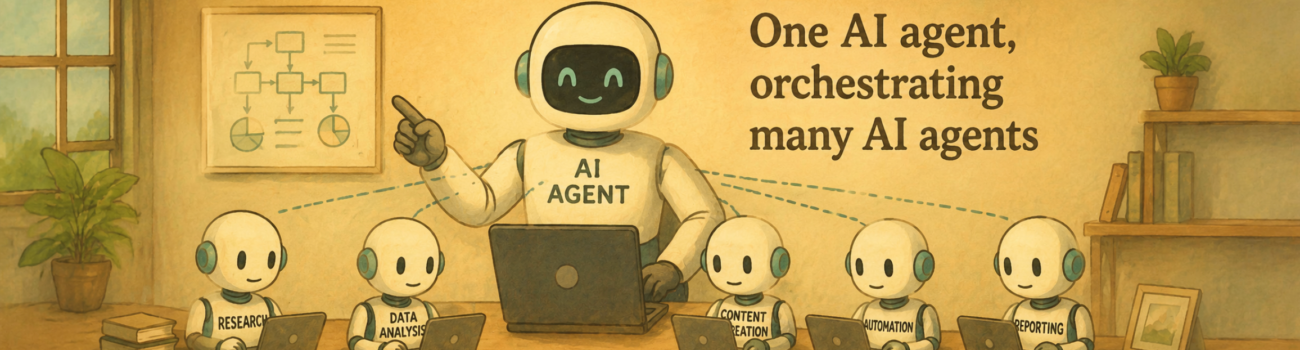
Recently I have been studying networking as well as the proper mindset for network security. Here I am going to share some ideas about designing the authentication and authorisation environment for a small company. First, I will introduce a case, a small company with multiple departments, to illustrate the strategy of building up network security. Second, I will address the key issues when AI is involved. Even though the popularity of AI has made writing a little less valuable these days, I will still keep writing to help with my knowledge management and to sort out my thoughts. However, I can still use AI to help make my articles more readable.
Case Study: User and Business Requirements
Fitnu is a small business of approximately fifty staff (around thirty full-time employees and up to twenty contractors) that develops, manufactures and distributes solar-powered scooters. It operates seven business sections across three open-plan offices at a single head-office site: Finance, Sales, Purchasing, Distribution, Human Resources (HR), Marketing and IT Support.d IT Support: across three open-plan offices at a single head-office site.
Typically, all requirements are related to authentication (proving who you are when you access) and authorisation (what you are permitted to do). In this case, they are:
· apply the principle of least privilege so that staff can only access the information and resources they need for their role;
· replace ad-hoc, per-user folder mappings with a structured group-based model that is repeatable and easy to maintain;
· give each department manager controlled authority over their own section while protecting sensitive areas, particularly Finance and HR;
· provide a secure remote-access solution so that managers, and only managers, can work from home;
· introduce auditing and monitoring so that security incidents can be detected, investigated and prevented; and
· strengthen password and acceptable-use practices through Group Policy and supporting security policies.
When it comes to AI, we cannot ask AI to set up the requirements for us, but we can ask it to refine them. As human beings, we tend to miss things, but AI can help add more detail through dialogue. Here I would like to introduce three key words: Confidentiality, Integrity and Availability (CIA), which are the three classic goals of information security. Use them to expand and organise the details AI provides, and keep your brain and the AI in sync. Security is not like graphic design, which pursues simplicity. It is more like a radar that tries to cover as many blind spots as possible.
For instance, in this case, a number of employees asked to work from home over a VPN, but the CEO decided that only managers would be permitted remote access. So what is the best practice for setting up a VPN in this case? For Windows, you would probably set it up as follows:
Remote access is delivered by a dedicated Remote Access (RRAS) server offering a VPN. The VPN authenticates users against a central RADIUS server (the NPS role on the domain controller) rather than locally, so one set of credentials and policies governs both local and remote logon.
A Network Policy on NPS grants the connection only when the user is a member of a “Managers” group, implementing the CEO’s manager-only rule. All other staff are denied at the policy layer even with valid credentials.
VPN connections use a secure tunnelling protocol with strong encryption, and authentication uses a secure EAP/MS-CHAPv2 method so credentials are never sent in clear text.
Remote sessions are logged on the RADIUS/NPS server so that every remote logon is recorded for audit.
However, if you keep digging with the CIA goals in mind, you might find that EAP/MS-CHAPv2 is still vulnerable in the modern cyber environment, and that the RADIUS/NPS server should be separated from the domain controller to avoid exposing Active Directory.
You might use a more advanced AI model to save some effort, but never rely on it solely for answers. Treat it more like a tool for research, especially from a network security perspective.
To build up the whole enterprise security plan, we can follow the plan-build-manage lifecycle in this case, as follows:
Planning:
· Gather and confirm user and business requirements with senior management.
· Review the Enterprise Security Plan, identify the assets to be protected and classify them by value.
· Identify and analyse current threats, vulnerabilities and risks, and produce a risk-management plan.
· Select the authentication and authorisation technologies (Active Directory, AGDLP groups, RADIUS/NPS VPN, Group Policy auditing).
Building:
· Deploy the servers (domain controller, RRAS/RADIUS server) and client machines on the virtual network.
· Create the directory structure: organisational units, global and domain-local groups, users and shared folders.
· Apply share and NTFS permissions using AGDLP, delegate control to managers, and configure the VPN and auditing policies.
Managing:
· Monitor audit logs, VPN/RADIUS logs and folder access on an ongoing basis.
· Operate incident-management and account-recovery processes and review the system against business requirements.
· Maintain backups, patching, file screening and quotas, and adjust policies as the business changes.
We can easily get the content above using AI tools, but what I suggest here is to set up priorities so that we will not get lost in the abundant information and tasks provided by AI. Here are three things you can do:
First, find out and list your company’s ICT assets that need to be protected. Assets are not only physical hardware: they include data, software, infrastructure and the intellectual property that gives your company its competitive advantage. Value is rated High, Medium or Low by the impact if the asset were lost, stolen, corrupted or disclosed. For instance, customer and supplier records (contact, order and invoice details) belong to the high-value data category, product design and manufacturing intellectual property belongs to the high-value IP category, and servers, workstations, laptops and the shared printer belong to the high-value hardware category.
Second, identify the current threats, such as ransomware, elevation-of-privilege vulnerabilities and network intrusion. Knowing more about what you are up against will give you a better enterprise security plan.
Third, combine the two steps above to set your priorities. You can set up a risk management plan in which you rate each threat, rank the threats from least to most severe and outline a control for each. All of this output becomes the input for the AI to implement the possible authentication and authorisation measures. You might get various security options, but you can narrow down your selection using the confirmed risk management plan and your budget.
The Key Issues When AI Is Involved
Here I would like to address some issues that arise when you use AI for enterprise security setup, especially since AI is not a free or secure enough tool for most enterprises.
First, do not use sensitive data as input for AI to generate output. Most AI tools come from third parties, and if you cannot get a proper SLA (Service Level Agreement), you should not put too much faith in the AI to protect your secrets. Actually, this is the first rule of thumb for all AI usage in enterprise practice. However, in the future, I think there will be a lot of affordable internal AI options available for small companies. The key is to set up a proper AI agent model structure to separate sensitive data assets from ordinary data, including network separation, content filtering and access auditing.
Second, apply the principle of least privilege to AI applications and avoid letting AI do things for you directly. It might be tempting to let AI do things for you, but always keep a human in the loop, in case the AI carries out injection attack instructions from outsiders. Besides, it is also a matter of security compliance and accountability for the company, which means you cannot push responsibility onto the AI and claim it is not your fault.
Third, the cost of using AI to set up a network security plan might be small, but in the real world, the fees for using AI to deal with complicated issues can accumulate and become very high. When an unexpected threat comes up, you need to identify the issue as fast as possible, and it would be costly to spend a lot of AI tokens analysing the issue on a third-party AI plan. However, you can properly model the AI agents so that different agents with various capabilities work together for a faster and more cost-effective outcome. The main idea is to allocate different AI agents to certain tasks based on their complexity. We use the less expensive and less capable but fast models to deal with the simple tasks, while the most expensive and most capable but slower models tackle the complicated tasks. But the tough part is how to set up the relationships and decide which agent does what. That is AI agent modelling based on an understanding of the business and user requirements and of AI capabilities. It also shows that the work we did to sort out the business and user requirements has paid off.

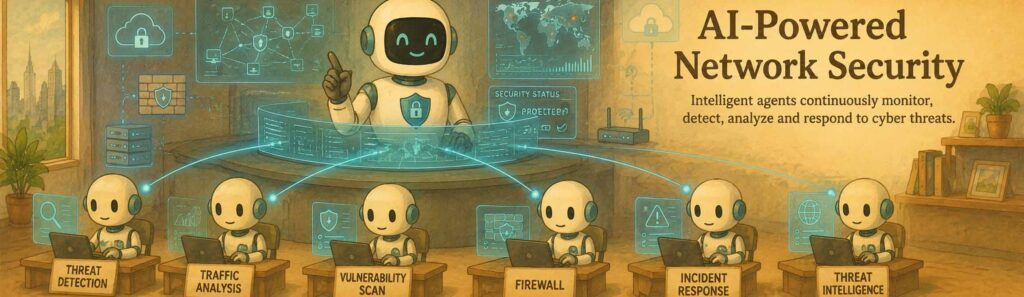
There is so much more I can share with you, case by case, on how to set up a proper AI agent based on business and user requirements. You can refer to the plan-build-manage lifecycle to set up your own network security plan. But in the future, I think AI will be naturally integrated and embedded in most procedures in enterprise services. From a network security perspective, if you treat the whole system as a human body, each part with an AI agent embedded should work like a body part, a small autonomous system. If one part gets hurt, the brain should feel it and know it.
References
- National Institute of Standards and Technology. (2025). SP 800-63-4: Digital Identity Guidelines. https://pages.nist.gov/800-63-4/
- Australian Signals Directorate’s Australian Cyber Security Centre. Essential Eight Maturity Model. https://www.cyber.gov.au/business-government/asds-cyber-security-frameworks/essential-eight/essential-eight-maturity-model
- Microsoft. Implementing PEAP-MS-CHAP v2 Authentication for Microsoft PPTP VPNs. https://support.microsoft.com/en-us/topic/implementing-peap-ms-chap-v2-authentication-for-microsoft-pptp-vpns-d5ca1ebe-d9ee-4379-fd3f-e7be05fa3ae2
- Microsoft Learn. Manage Certificates Used with Network Policy Server (NPS). https://learn.microsoft.com/en-us/windows-server/networking/technologies/nps/nps-manage-certificates
- OWASP GenAI Security Project. (2025). OWASP Top 10 for Large Language Model Applications 2025. https://genai.owasp.org/resource/owasp-top-10-for-llm-applications-2025/
- OWASP GenAI Security Project. (2025). OWASP Top 10 for Agentic Applications 2026. https://genai.owasp.org/resource/owasp-top-10-for-agentic-applications-for-2026/
- Office of the Australian Information Commissioner. Guidance on Privacy and the Use of Commercially Available AI Products. https://www.oaic.gov.au/privacy/privacy-guidance-for-organisations-and-government-agencies/guidance-on-privacy-and-the-use-of-commercially-available-ai-products